
Built for the questions you actually open a dashboard for
Is anything broken, is it really redundant, where is the capacity going, and how do I ship the next change safely. The agent answers with evidence; the screens let you check it.
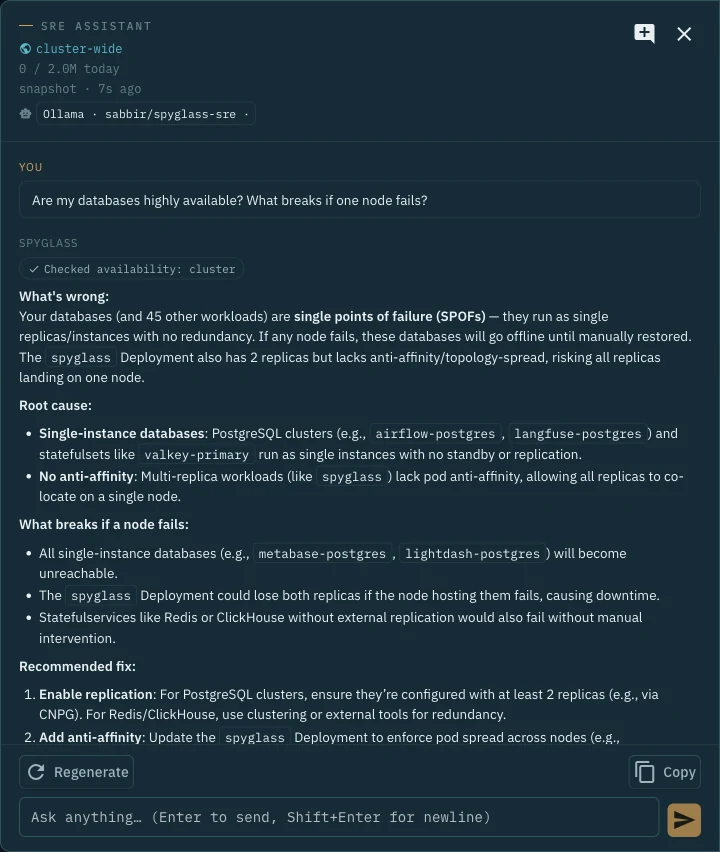
An assistant you can check against the evidence
The assistant starts with a cluster snapshot and gathers evidence through permitted read-only tools. Coverage depends on Kubernetes permissions and resource support. Raw logs and descriptions require an explicit operator opt-in.
- Single points of failure across Deployments, StatefulSets and operator-managed databases, where resource support permits
- Drain safety: which PDBs would block, and whether other pools absorb the load
- Right-sizing per container and per node pool, with the binding constraint named
- Crash-loop debugging from the previous container's logs plus a runbook
- One conversation that follows you across pages, grounded on what you're viewing
Estimated token reservations help control cloud usage. Actual usage can exceed reservations; use provider-side limits too. Ollama requests go to your configured server.
Your model, your key, your ledger
Connect your own Ollama server, Claude via the Anthropic API, or Claude via Amazon Bedrock. Berth calls the provider directly from inside the cluster. Nothing is proxied, metered or billed by us.
- Daily and monthly token budgets, request rate limit, concurrency cap
- SQLite usage ledger: who asked, which model, tokens, tools, duration, estimated cost
- Cloud providers require authentication, Enterprise and persistent storage
- Keys are write-only in the UI and stored with 0600 permissions on your volume
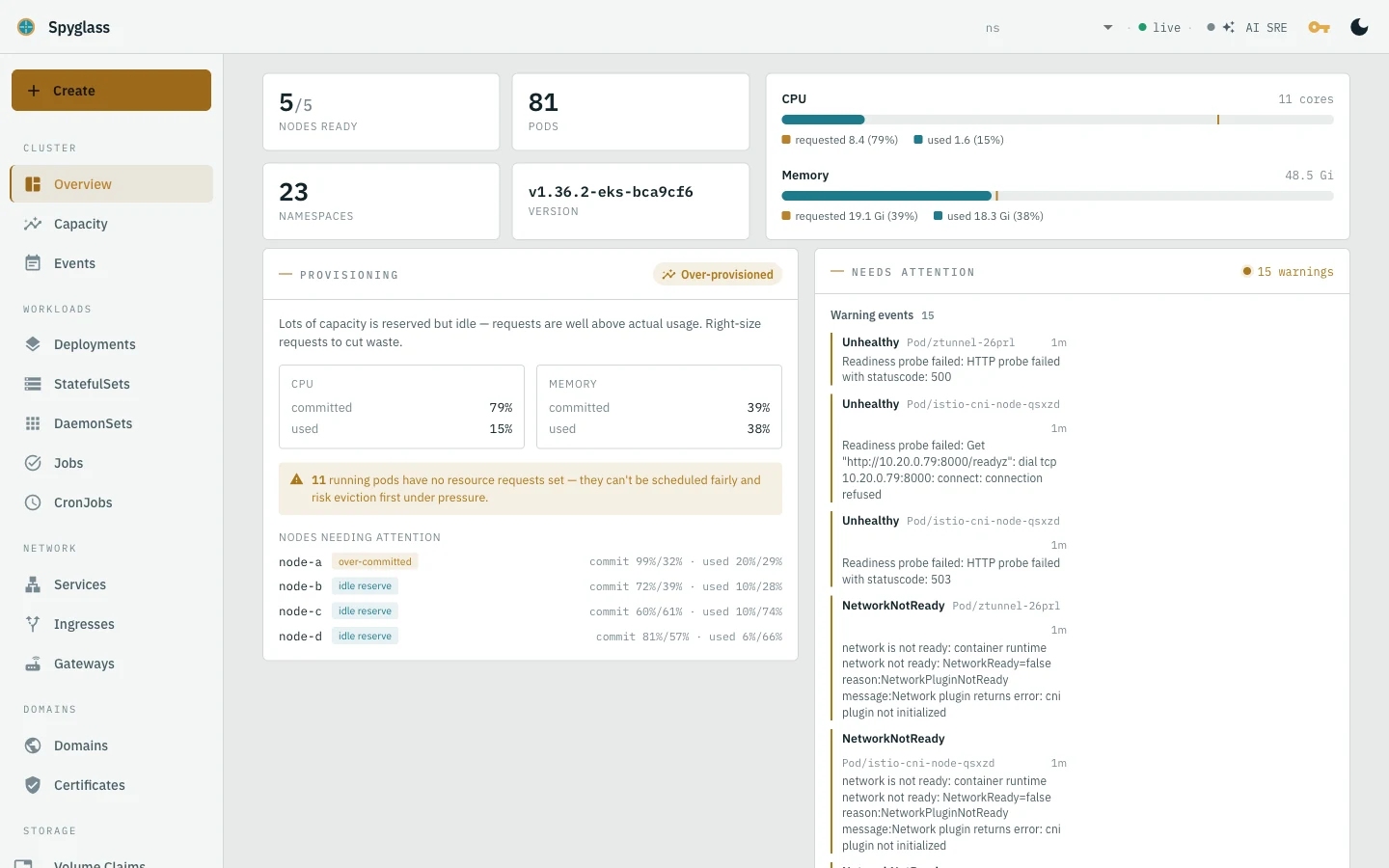
Are my apps up? Is anything broken?
Exposed-endpoint health is synthesised from hostname → DNS → TLS → gateway → route → service, to help identify connection failures. Below it: node and pod readiness, a provisioning verdict, and the warnings that need attention.
- Gateway API and Ingress, including cross-namespace attachments
- “Ask AI” on every screen and every resource dialog
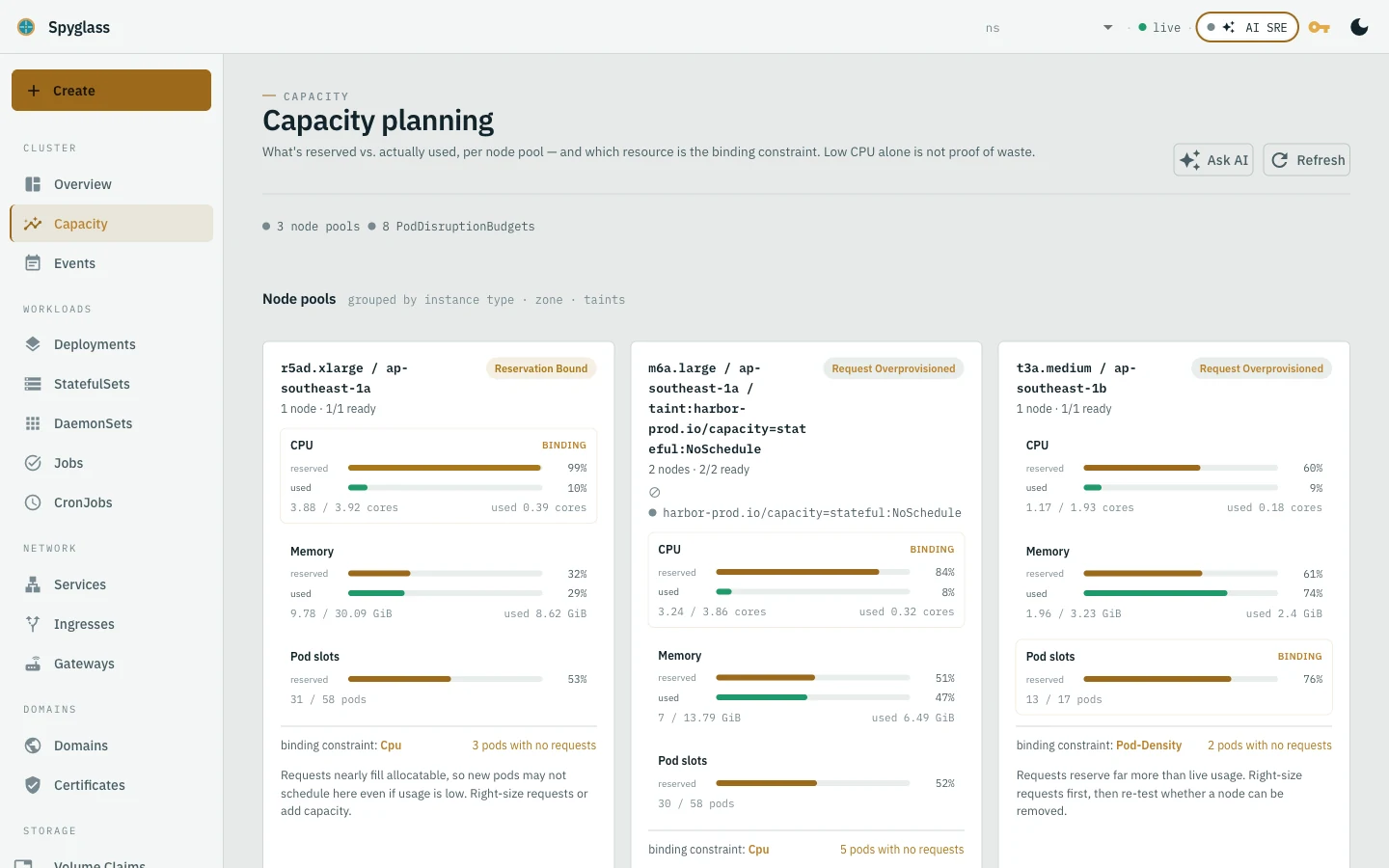
Which resource is actually binding?
Per node pool: allocatable vs. reserved vs. used for CPU, memory and pod slots, plus the classification (reservation-bound, request-overprovisioned, pod-density-bound). Low CPU alone is not proof of waste, and the page says so.
- Pods with no requests, PDB count, unscheduled pods
- The same numbers the agent uses, so its answers are checkable
Ship the next change safely
Cluster-aware builders read the live cluster so you pick real images, services, gateways, issuers and node taints. The expose-an-app flow creates Deployment → Service → Certificate → Gateway → HTTPRoute in dependency order and verifies the URL is serving.
- Weighted HTTPRoute backends for canary and blue/green rollouts
- Logs and events inline; describe-style detail for nodes, workloads and services
- Human-initiated writes only, gated by an offline-verified license key
- Runs in your cluster as one container or binary, with the pod's ServiceAccount as its ceiling.
- Offline license keys, Ed25519-signed, verified against an embedded public key. Works air-gapped.
- Free up to 10 nodes, connect your own Ollama server. Viewing needs no key at all.
- No SSO, RBAC or multi-cluster yet, on the roadmap, not on the box.